
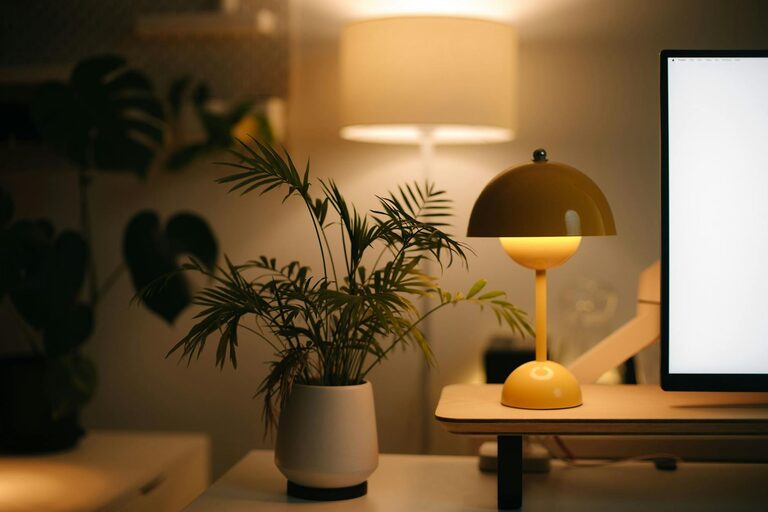
Creating a cozy and functional home office is essential for anyone working or studying from home. A well-designed workspace can boost your productivity, improve your focus, and make your daily tasks more enjoyable. Whether you have a dedicated room or just a corner in your living space, thoughtful planning can transform it into a comfortable work area. Here are practical tips to help you create a home office that feels both inviting and efficient.
Choose the Right Location
Find a Quiet Spot
Selecting a quiet area away from household noise is key. If possible, choose a room with a door that you can close to minimize distractions. If space is limited, a corner in your bedroom or living room can work well too.
Consider Natural Light
Natural light uplifts mood and reduces eye strain. Try to position your desk near a window for daylight. If natural light isn’t ample, invest in good-quality lighting to keep the space bright and welcoming.
Invest in Comfortable Furniture
Ergonomic Chair
A comfortable, ergonomic chair supports your posture and prevents back pain. Look for adjustable height, lumbar support, and cushioning to suit your needs.
Functional Desk
Choose a desk that fits your space and workflow. It should be large enough for your computer, paperwork, and any other tools you regularly use. Adjustable desks that allow you to alternate between sitting and standing are also a great option.
Organize for Efficiency
Declutter Regularly
A tidy space reduces stress and helps you focus. Remove unnecessary items and only keep essentials on your desk. Use storage bins, shelves, or drawers to keep things organized.
Use Storage Solutions
Invest in organizers like file holders, pen cups, and cable management systems. Vertical storage can help save space and keep your workspace neat.
Personalize Your Space
Add Comfort Elements
Include soft elements like a cozy rug or a cushion on your chair. Adding these can make your office feel more like a welcoming part of your home.
Decorate Thoughtfully
Incorporate personal touches such as plants, pictures, or artwork. Plants not only beautify your space but also improve air quality, creating a refreshing environment.
Use Technology Wisely
Reliable Equipment
Ensure you have a good computer, high-speed internet, and any necessary accessories like a printer or headphones. Quality equipment reduces frustration and helps maintain productivity.
Minimize Cables
Keep cables and chargers out of sight to avoid clutter. Wireless devices, when possible, can enhance a cleaner look.
Create a Routine and Boundaries
Set Work Hours
Define your working hours to separate work time from personal time. This helps maintain balance and keeps your home office functional.
Communicate Boundaries
If you share your home with others, let them know your schedule and the importance of minimizing interruptions during work hours.
Optimize for Your Workflow
Task Zones
If space allows, create distinct zones for different activities, such as a computer area for focused work and a small table for brainstorming or reading.
Easy Access to Supplies
Keep frequently used supplies within arm’s reach to save time and avoid distractions.
Maintain Your Space
Regular Cleaning
Keep your home office clean and well-maintained. Dust surfaces and vacuum floors regularly to maintain a pleasant environment.
Update Periodically
As your work needs change, update your workspace with new tools or furniture. Refreshing your space can help keep your motivation high.
—
By following these tips, you can design a home office that’s both cozy and practical. A thoughtfully organized and inviting space will help you stay comfortable and focused, turning your home office into a productive haven.